
How Tresanti's Power Station Actually Charges Devices Without Extra Adapters
You plug your phone into a Tresanti chairside table's USB port and charging starts immediately. No wall cube needed, no guessing which port works, no cable compatibility dance. That's the promise of a built-in power station, but the question we hear most often is how the charging actually happens inside the furniture itself.
We designed our power stations to eliminate the adapter step entirely. The system converts household AC voltage to the exact DC output your device expects, then regulates current in real time so a tablet pulling 2.4 amps and a phone needing 1 amp can charge side by side from the same console. This guide walks through the three stages—conversion, detection, regulation—so you know exactly what's happening when you plug in.
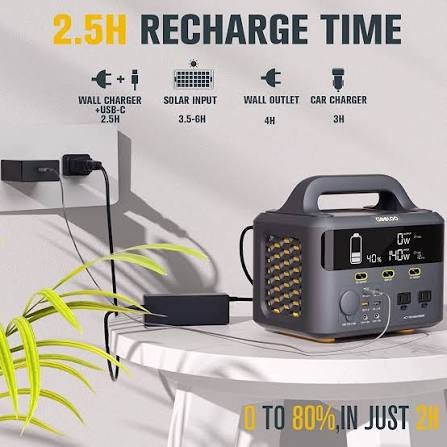
AC-to-DC Conversion: Why You Don't Need a Wall Adapter
Every device charger is doing the same job: converting 120-volt alternating current from your wall outlet into 5-volt (or higher) direct current your battery can accept. Our power stations move that converter inside the table.
A switching power supply sits between the furniture’s AC cord and the USB ports. When you plug the table into the wall, this transformer steps 120 V down to a stable low-voltage rail—typically 5 V for standard USB-A, 9 V or 12 V for USB-C Power Delivery. The circuitry handles voltage regulation continuously, adjusting output thousands of times per second to maintain clean DC power even when household voltage dips or spikes.
Because the conversion happens once for all ports at the same time, you can charge a laptop, phone, and smartwatch simultaneously without daisy-chaining three separate wall cubes. The internal supply is rated to deliver the combined wattage of every port—45 W in our Sloane model, for example—so the table itself becomes the single power source.
USB Negotiation: How the Port Knows What Your Device Needs
Plug a phone and a tablet into two identical-looking USB ports and both charge at their optimal speed. That’s not luck—it’s an active handshake between the port’s controller chip and your device’s charge circuit.
USB Battery Charging Specification
When you insert a cable, the controller sends a low-current test signal down the data lines. Your device responds with a resistor signature or a digital protocol packet (depending on whether it supports USB-PD, Qualcomm Quick Charge, or the baseline BC 1.2 spec). The controller reads that response, identifies the maximum safe current, and opens the power gate to that level. A phone requesting 1 A gets 1 A; a tablet declaring 2.4 A capability gets 2.4 A.
This negotiation completes in under a second. If you swap devices mid-charge—unplug the phone, plug in a different tablet—the controller resets and runs the handshake again. You never manually select amperage or voltage; the hardware does it every time you connect.
Current Regulation and Safety Limits
Charging isn’t static. A battery at 20 percent accepts current faster than the same battery at 80 percent, and our power stations adjust output in real time to match.
The controller monitors voltage and current on each port independently. When a device is nearly full and begins tapering its draw, the port reduces current automatically—this is why the last 10 percent of a charge always takes longer. If a connected device tries to pull more than the port’s rated limit (say, a 3 A tablet on a 2.4 A port), the controller clamps current at the safe ceiling and holds it there. The device charges slower than its maximum but never overloads the circuit.
Overcurrent and Thermal Protection
Every Tresanti power station includes a resettable fuse and thermal cutoff. If total draw across all ports exceeds the supply’s wattage rating, or if internal temperature climbs past the safe threshold, the system shuts off power to the ports and trips a indicator light. Unplug everything, let the unit cool for five minutes, and the fuse resets. According to the Underwriters Laboratories safety standards our stations are tested against, this two-stage protection (current limit per port, thermal limit for the whole supply) is required for any multi-port furniture charger sold in North America.
Why Built-In AC Outlets Still Matter
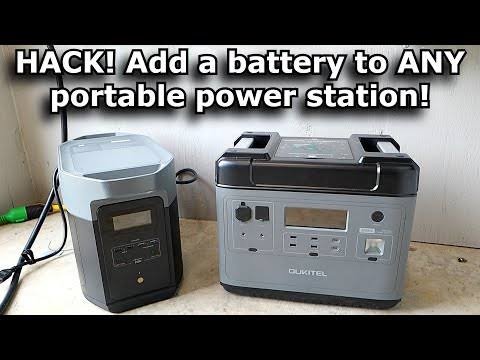
USB ports handle phones, tablets, and accessories, but some devices—laptops with proprietary connectors, CPAP machines, electric razors—need a full AC outlet. That’s why our Kerrigan and similar models include standard three-prong receptacles alongside the USB array.
These outlets tap the same incoming AC line that feeds the USB converter, so they deliver the full 120 V your wall outlet does. Plug a laptop’s original power brick into the table’s AC outlet and it charges exactly as it would at the wall—no modification, no reduced wattage. The only limit is the table’s main cord rating (typically 15 A), which matches a household circuit and gives you roughly 1,800 W of total capacity across AC and USB combined.
If a device doesn’t use USB—or if you simply want the flexibility to charge anything without checking port types—the AC outlet is the universal fallback. We include both because chairside table charging means eliminating the need to reach for the wall, not limiting what you can plug in.
What Built-In Charging Really Means
A chairside table with an integrated power station isn’t just furniture with an extension cord screwed to the side. It’s a purpose-built charging hub—AC-to-DC conversion, device detection, current regulation, and safety cutoffs—that happens to live inside a piece you already keep next to the couch.
Every time you plug in without hunting for a wall cube or sorting through a drawer of old adapters, you’re using the same switching power supply and USB controller technology that standalone chargers rely on. We’ve just moved it into the table so the outlet is always within arm’s reach and the clutter stays out of sight. That’s the entire point: charging that works exactly the way you expect, exactly where you need it.
Common Questions About Tresanti Power Station Charging
Yes, as long as the combined wattage stays under the station's total capacity. If you plug the laptop into an AC outlet using its original brick and the phone into a USB port, each draws from the shared incoming power line but through separate circuits. The USB converter handles the phone independently; the AC outlet passes through full voltage for the laptop. Most Tresanti stations are rated for 45–60 W total across USB ports, plus whatever the AC outlets can handle up to the cord's 15 A limit.
The port's controller clamps current at its rated maximum—usually 2.4 A for USB-A or 3 A for USB-C—and your device charges at that reduced speed. You won't damage anything; the charge just takes longer. If the device can't charge at all below a certain threshold (rare, but some older tablets are picky), the controller may refuse the connection entirely and the device shows no charge indicator. In that case, use the AC outlet with the device's original adapter instead.
No. The station draws less than 1 W on standby with nothing plugged in, roughly the same as a phone charger left in the wall. The USB controllers stay powered so they can detect a new device instantly, but they aren't delivering current until you actually connect something. If you're leaving the house for a week, unplugging saves a trivial amount of electricity, but for normal daily use the standby draw is negligible.
Most likely the port is delivering baseline USB current—5 V at 1 A or 2.4 A—while your phone's original adapter supports a faster proprietary protocol like USB Power Delivery or Quick Charge. Our stations' USB-A ports follow the universal BC 1.2 spec, which guarantees compatibility with every device but doesn't implement every brand's fast-charge extension. If your phone supports USB-PD and the table has a USB-C port, use that for higher wattage. Otherwise the baseline speed is the trade-off for universal plug-and-charge convenience.
The controller's voltage and current regulation are designed specifically to prevent that. Each port delivers only the voltage and amperage your device requests during the initial handshake, and the resettable fuse cuts power if draw exceeds safe limits. If the internal temperature climbs too high, the thermal cutoff trips before components can fail. These protections are the same ones required in standalone multi-port chargers sold separately, just integrated into the furniture. As long as you use undamaged cables and don't bypass the station's built-in outlets, the system keeps everything within spec.
USB-A ports deliver 5 V and up to 2.4 A using the older rectangular connector; they work with nearly every phone and tablet cable made in the last decade. USB-C ports support the newer reversible connector and can negotiate higher voltages—9 V, 12 V, even 20 V on PD-capable stations—for faster charging of compatible laptops and phones. If your device has a USB-C port and came with a USB-C-to-C cable, use the table's USB-C port for the best speed. If you only have USB-A-to-C cables, those work fine in the USB-A ports at baseline speed.